Humanize AI Text for Natural-Sounding Writing With Humanio
Paste a draft from ChatGPT, Claude, Gemini, or any model. Humanio rewrites the robotic tells so it reads human and is built to pass AI detectors like GPTZero, Turnitin & Originality.ai — your meaning and keywords intact.






- Bypass all popular AI detectors
- Keep the original meaning
- Choose the desired level of readability






Not a synonym-swapper. A real advanced ai humanizer model.
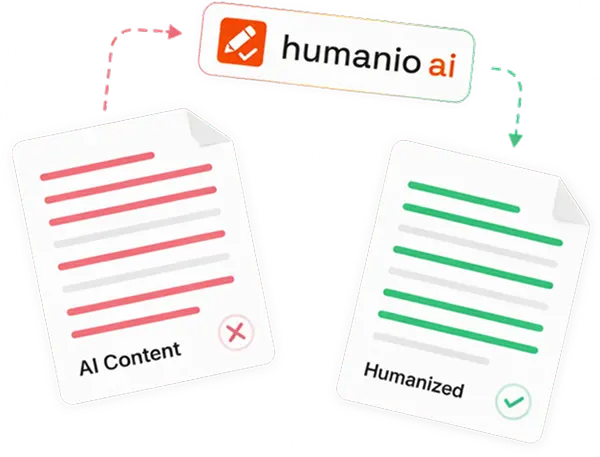
Most "humanizers" just shuffle words until a sentence looks different. That breaks your meaning and still reads like a machine. Humanio works at the sentence level — it fixes the rhythm, the repetition, and the too-even phrasing that make AI text obvious, while keeping your point and your keywords intact.
Trained on real human writing. Humanio's rewrites are modeled on millions of real human writing samples — not random synonym swaps — which is why the output reads naturally and consistently passes the major detectors.
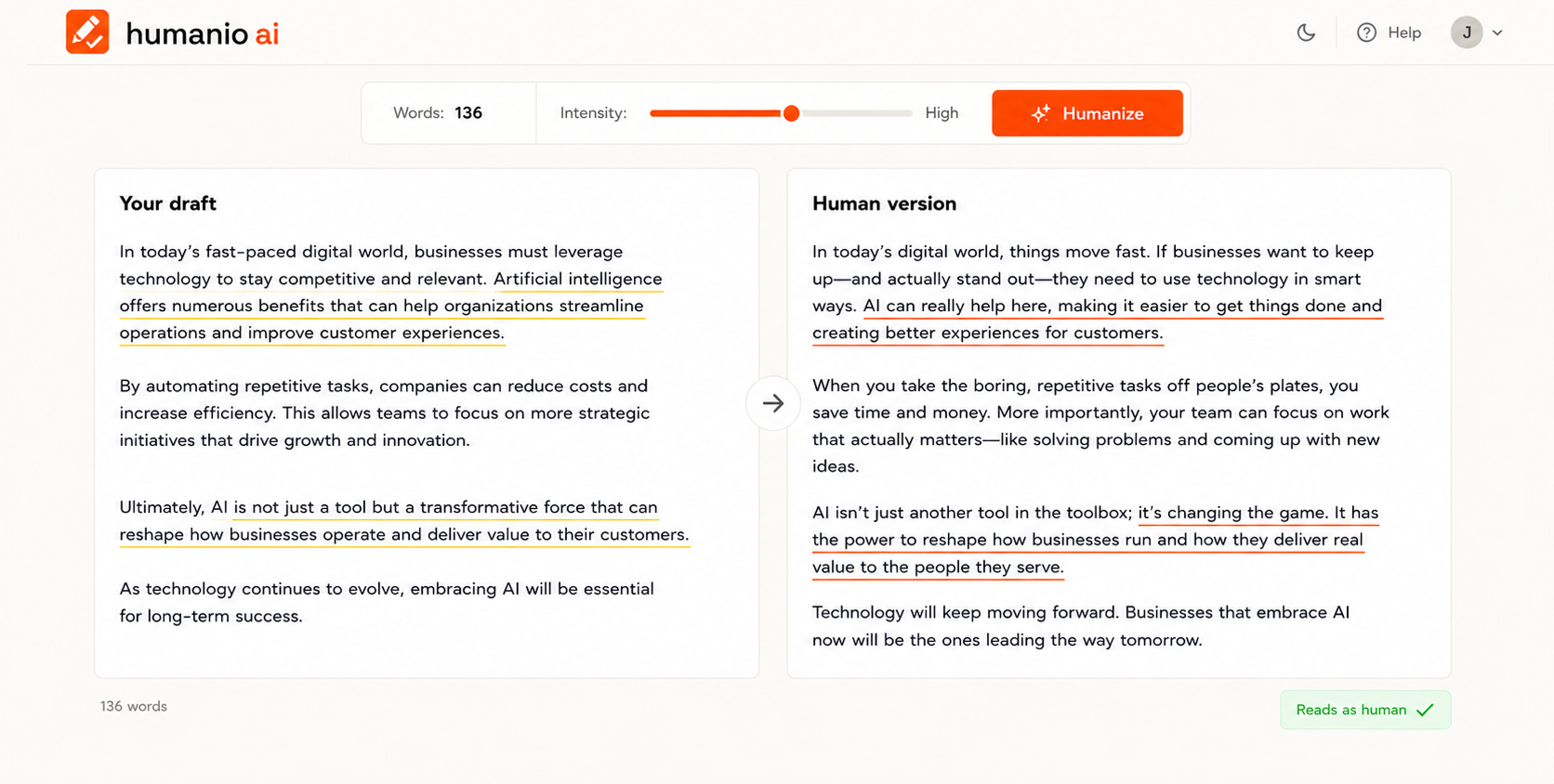
Three steps from Ai to Human Text. About thirty seconds.
Paste your draft
Drop in text from ChatGPT, Claude, Gemini, or anything else.
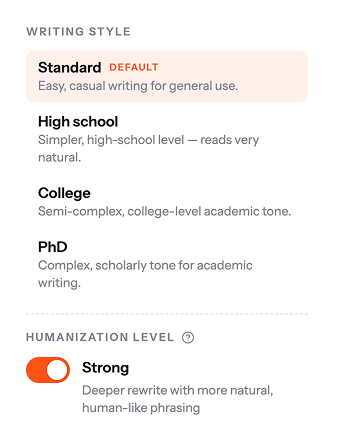
Pick an intensity
Light polish or a full structural rewrite — you decide how far it goes in bypassing typical ai detection.
Make it yours
Review the human version, tweak a line if you want, and copy it out.
Everything you need to ship writing that sounds like you
Adjustable intensity
Light touch or full rework — control the trade-off between staying close to your draft and maximizing natural reading with an ai detection bypass.
Keeps meaning & keywords
Structural rewrites that preserve your point and your SEO targets — not blind word-swapping.
Clears the major detectors
Tuned to pass GPTZero, Turnitin, Originality.ai, Copyleaks, ZeroGPT, and Winston AI.
Works with any model
ChatGPT, Claude, Gemini, DeepSeek — whatever wrote it, Humanio humanizes it.
Built for academic integrity
Humanio supports your own thinking, it doesn't replace it. Use it responsibly, follow your institution's policies, and read our guidelines on ai detection. academic integrity guidelines.
Private by design.Your work stays confidential.
We handle your text with strict privacy safeguards and never sell your data. You stay in control of your information, with clear privacy choices available whenever you need them.

What you actually get from our text humanizer

Writing that reads human
Humanio smooths the robotic rhythm and repetition that give AI away, so the text keeps your voice.
Built to clear the major ai detectors
Output tuned to read as human across GPTZero, Turnitin, Originality.ai, Copyleaks, ZeroGPT, and Winston AI.
Your meaning and keywords survive even when processed through ai detection tools
It restructures how the text reads, never what it argues, so SEO intent and your point stay put.
Any model, one pass
ChatGPT, Claude, Gemini, DeepSeek; whatever drafted it, Humanio humanizes it.
You control the depth of your edits, whether you're using a light touch or a full rework with ai tools
Light polish to full structural rewrite, you set how far it goes.
Editing without the grind is easier with a free ai humanizer at your disposal
Skip the line-by-line manual rewrite and ship faster.
Built for everyone who writes with AI
Marketers
Ship AI-assisted landing pages, ads, and emails that read human and stay on-brand.
SEO specialists
Scale content without robotic patterns or AI-detection penalties; keep your keywords.
Bloggers & writers
Keep your own voice, lose the AI sheen, publish faster.
Professionals
Reports, proposals, and client emails that sound like a person, not a model, thanks to this ai to human text technology.
Students
Turn a rough AI first draft of an essay or assignment into writing that sounds like you.
Anyone with an AI draft
Study notes, newsletters, scripts, posts — if a model wrote it, Humanio makes it sound human.
What is an AI humanizer?
An AI humanizer is a tool that rewrites AI-generated text so it reads the way a person actually writes — improving clarity, flow, and rhythm while keeping the original meaning. Instead of the even, repetitive phrasing that makes AI output easy to spot (and easy for detectors like GPTZero to flag), a humanizer restructures sentences so the writing sounds natural.
Humanio does this on your own draft, in seconds — so the work still says what you meant, just in a human voice.
Trusted across every kind of writing
I draft campaign emails with AI and Humanio makes them sound like our brand again. Two clicks and the stiffness is gone. I stopped rewriting everything by hand — it just handles the tone, and our open rates haven't dipped at all since we switched the workflow.
We publish a lot of AI-assisted articles. It keeps the keywords and kills the robotic flow — rankings held, readability went up.
As a freelance writer I use it to clean up first drafts. It still sounds like me, just tighter.
We run every client draft through Humanio before delivery. The difference is night and day — clients used to flag "this sounds like AI" comments weekly, and that feedback has completely disappeared. It's now a fixed step in our content pipeline.
I use AI to structure my literature notes, then Humanio to make them read like my own writing. The PhD style setting is surprisingly good.
Honestly didn't expect much, but the rewrites keep the voice I set up in my prompts. Saves me about an hour per landing page.
My newsletter drafts started sounding samey once I leaned on AI, prompting me to seek a better text humanizer. Humanio brought the rhythm back — readers actually commented that recent issues "feel more like me again". That alone was worth it.
Release notes, changelogs, launch posts — everything goes through it now. Fast, and the meaning never drifts.
The keyword preservation is the killer feature for me. Docs stay accurate, terminology stays consistent, but the text stops reading like a template.
Frequently asked questions
Paste it in, pick an intensity, and see the difference in the first sentence.